
Context
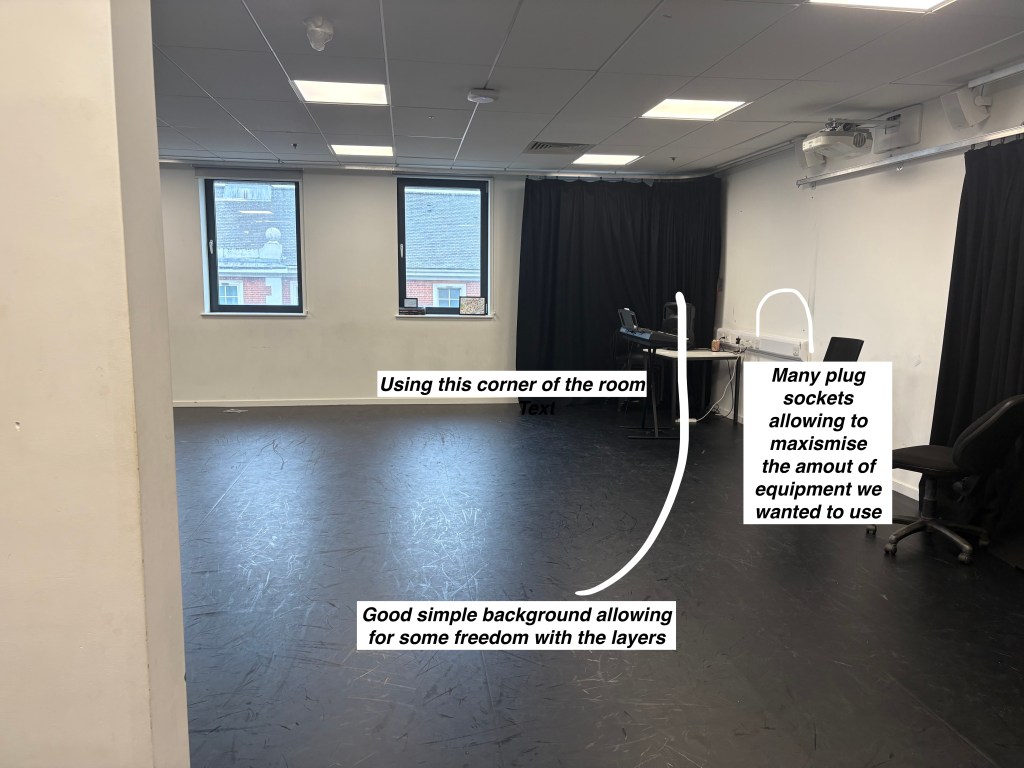
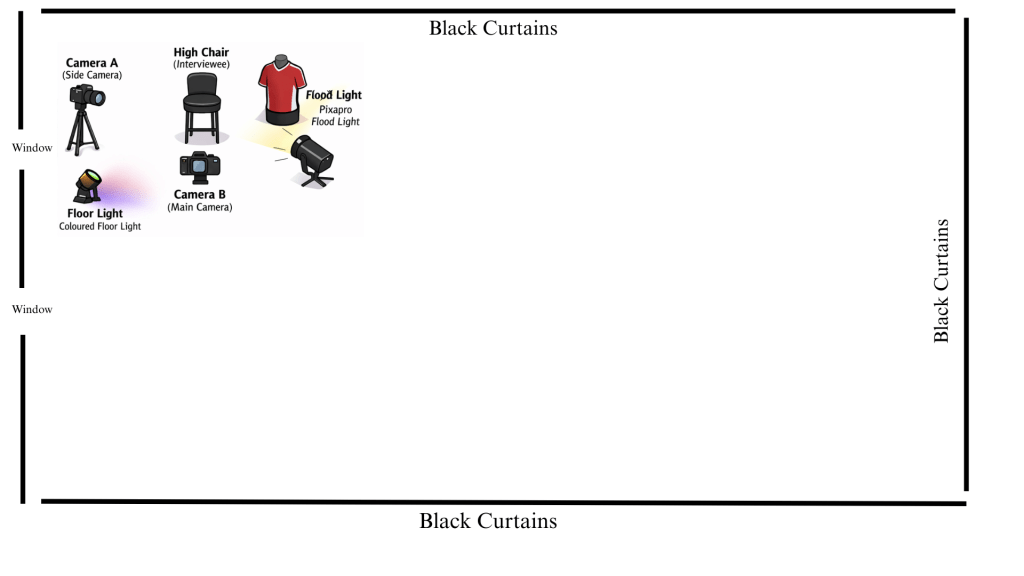
This week we planned, recorded and edited an interview style video to promote our sports media course, our planning consisted of finding a good room to yuse to make sure our 4 essentials from last week were being used, creating a floor plan and creating a mock setup of our recording session. Along with that our recording consited of making sure our room was ready for our use. And while editing I looked to create a storyline, taking 3-4 students within the course and asking simple questions to promote the course. In the edit I chose not to include the questions being said rather have the interviewee speak aloud kind of a repition of the question. I wanted to aim this project towards young adults with a short age range around 15-17 years old as that is the year group in year 12 we are looking to promote for. With no gender skew and editing/sports enjoyers as well.
Research
Story
For this video I wanted to tell a story of wanting to promote the course to a far extent by reaching my target audience by adding humour during the video and making sure that within the edit there were fast and easy cuts. I also added questions that were not necessarily complicated so the viewer can understand a broad basis of the course.
Stylistic
Stylistically I was largley inspired by the micheal own interview with rio ferdinand oin the ballondor linked below. It represtents the different camera angles I wanted to introduce within my video, however I wanted to go different by limiting myself to only one person in the camera rather than having 2 people like they did. This allowed for a far more straight forward approach to maintian simplicity within the video.
Practical skills
First I began creating a mockup of the room I was using floor plan and taking pictures of the room to guage an idea of what I wanted to make making sure to have an idea of my final product always in mind. And also making sure to include the 4 essentials
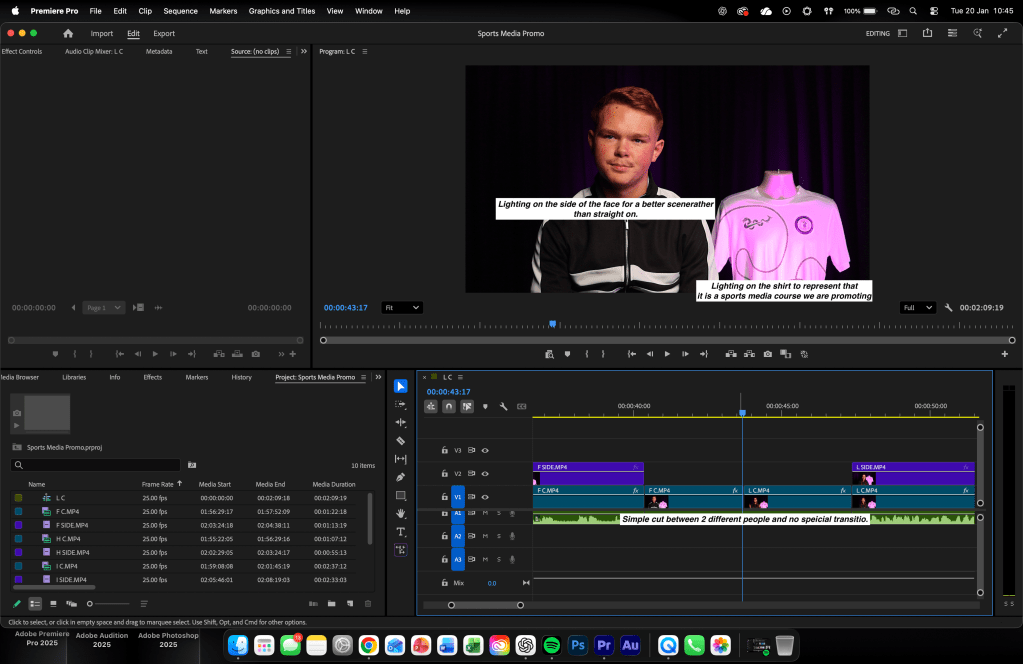
Then in post production after recording using my floor plan to make the set etc. I edited in premier pro keeping everything simple. Cutting out the questions and having the interviewee identifying to the viewer what was the question being asked.
All annotated screenshots are shown below.

Technical
The technical aspect included the cameras used which were 2 Canons E0S R50s propped up on 2 tripods as well. Coupled with a PixaPro floodlight and also the 3 floor lights displaying the purple lighting in frame. Everything was editied in Adobe Premier Pro for the video aspect and the audio was edited on Adobe Auditon to make it sound as clear as possible. Along side this was all done on my Macbook M2 Pro.
Evaluation and Reflection
What Went Well (WWW)
The planning process was thorough and effective, including a floor plan, mock setup, and careful room selection, which ensured the four essentials were consistently applied during recording
The editing choices were purposeful, particularly removing the interviewer’s questions and allowing interviewees to naturally repeat or imply them, creating a smooth storyline that flowed well for the target audience.
Strong technical awareness was demonstrated through the use of multiple cameras, controlled lighting, and separate audio editing in Adobe Audition, resulting in clear visuals and professional sound quality.
Even Better If (EBI)
It wouldve been better to take at least 3 or more takes to have more choice with the editing.
Make sure to include the clapping in the video rather than audio only to make syncing up the audio much easier.
Makking sure to take more time making the video as it felt rushed near the end etc.
FINAL EDIT SHOWN BELOW

 Imad Daili - Sports Media